Basic Flow Chart Sample
Description
Below is a basic flow chart showing the 5 basic flowcharting symbols. (continued below...)
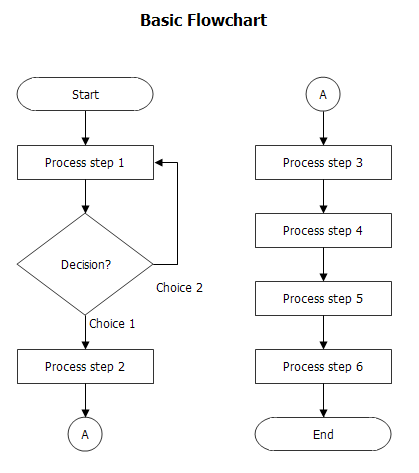
This diagram is typical of most flow charts you will find in process documentation. Using these basic symbols is a simple but effective way to provide a graphical snapshot of a process. The following is an overview of the symbols:
- The rectangles indicate Process steps.
- The diamonds indicate Decisions, or branches in the process.
- The circles indicate Connectors which act as jump nodes from one part of the process to another.
- The ovals (aka Terminators) indicate the process boundaries, showing where the process starts and stops.
- The connector arrows (aka, flow lines) indicate the process flow direction.
For reference, also see an example of an advanced flowchart using a broader set of symbols.