Flowcharting in Excel Series
Quick Tip: Adding Titles to Your Flowcharts
By Nicholas Hebb
Put your Flowchart Title in a Text Box
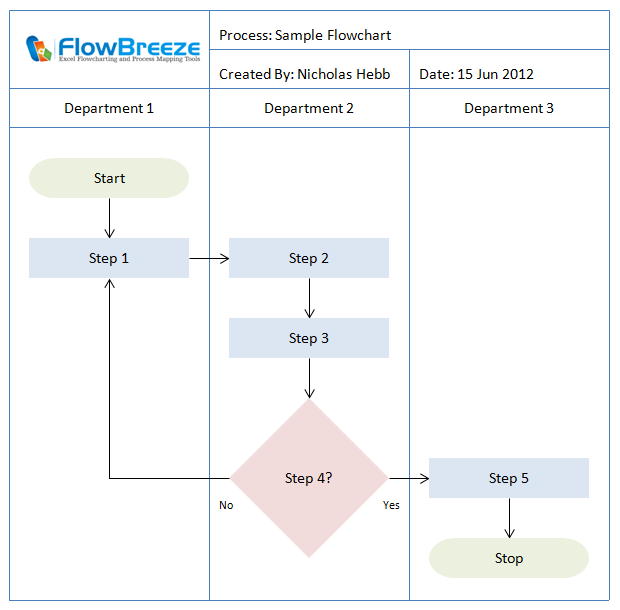
If you want to give your flowchart a title for each page, you're usually better off creating one with a Textbox. This is especially true if you're going to export the flowchart to another program such as Microsoft Word or Microsoft PowerPoint.
Excel Flowchart Wizard
FlowBreeze is a flowchart add-in for Microsoft Excel that makes creating flowcharts simple and pain free. Free 30-Day Trial.If you're creating a flowchart in Excel, and plan to leave it in Excel, just entering the title in a worksheet cell is fine. But if you try to copy the flowcharting shapes to Word or PowerPoint, the title cell will not be copied along with the shapes.
The problem with creating the title in Word is - you have to leave room for it above the flowchart drawing canvas. Lets say that you copy the flowchart and paste it into Word. Where do you put the title? Often the flowchart is big enough to take up the whole page. In Word, flowcharts (and other drawings) are contained in a Canvas object. The canvas can be tricky to position, and if it's large enough, trying to add a text title above it can be a real pain.
Many times I have battled with placing objects (flowcharts, pictures, drawings, etc.) on a Microsoft Word document, trying to get the placement just right, and many times I have lost. So 9 times out of 10, it's easier to just put the flowchart title within the drawing.
One last hint: To avoid the boxy look for a title in a Text Box, right-click on the textbox and select Format Textbox. A dialog will open. Select Colors and Lines. Click on the border color dropdown and select No Line.
About the Author
Nicholas Hebb
Nicholas Hebb is the owner and developer of BreezeTree Software, makers of FlowBreeze Flowchart Software, a text-to-flowchart maker, and Spreadspeed, an auditing and productivity toolset for Microsoft Excel®.