Advanced Flow Chart Sample
Description:
Below is a flow chart showing more commonly used symbols than the 5 that are shown in the basic flow chart example. (continued below...)
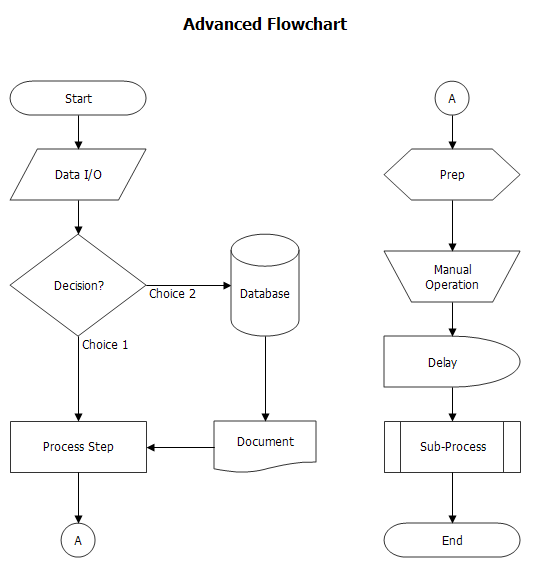
This diagram is less typical than the basic flow chart. While additional symbols can convey meaning at a glance, care needs to be taken that the reader is not overwhelmed by too many symbol types. If you choose to use many flowchart symbol types, it is a good idea to include a Symbol Key with the diagram.
The following is description of of the symbols that aren't covered in the basic flowchart:
- Data I/O: Indicates process steps where data is input or output.
- Database: Storage of data in a centralized database system.
- Document: A printout - typically a report (not another procedure).
- Prep: Any preparation activity required before another process steps can be performed.
- Manual Operation: This is useful for distinguishing between automated process steps and ones that require hands-on operation.
- Delay: Any wait that is added to a process, such as queuing time or temporary storage.
- Sub-Process: Sub-processes (aka Pre-Defined Processes) are indicators of another process that is documented elsewhere. Often these are standardized processes or tasks than are called by many higher level processes.